CLASSROOM
208
PC-AI · ADM
33%2 / 6 lectures
Every class.Every person.Every room.
Faculty. Rooms. Subjects. Divisions. Lectures. One connected timetable, resolved by a real constraint engine — for Indian higher education.
↓ SCROLL TO ENTER THE WEEK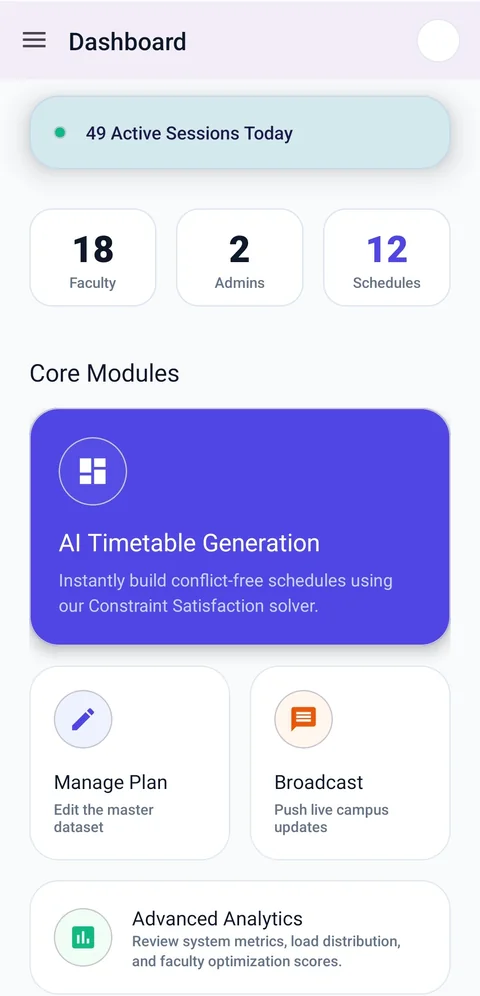 ADMIN
ADMIN
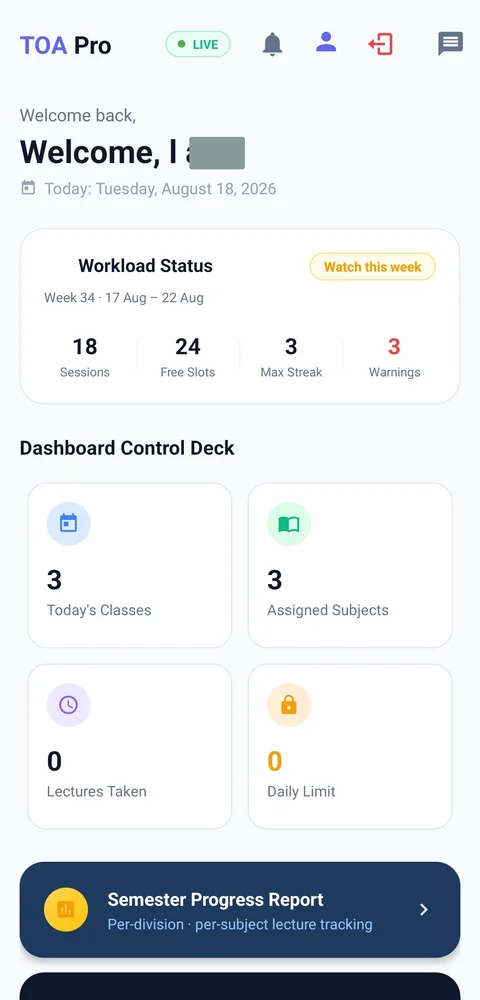 FACULTY
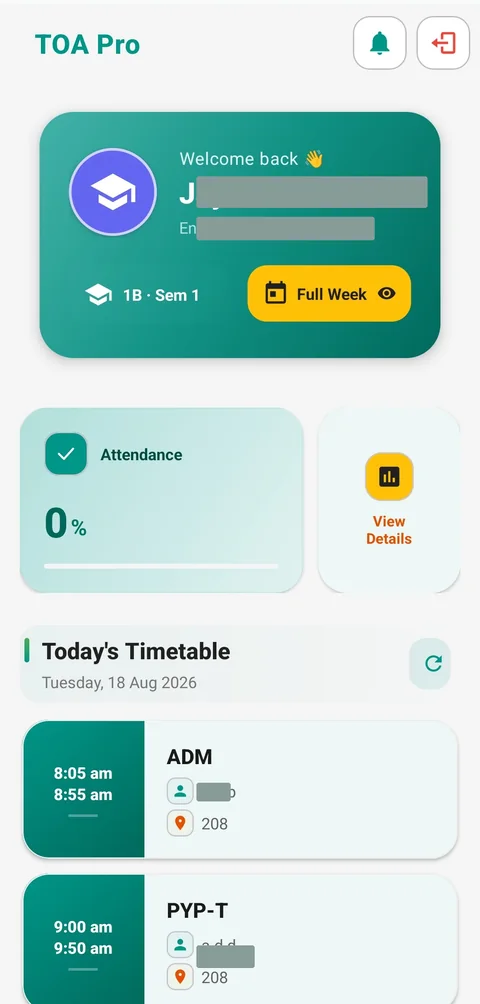 STUDENT
Every class. Every person. In the right place.
Turn the complexity of your
college timetable into a day that just flows.
Less scheduling friction.
More room for learning.
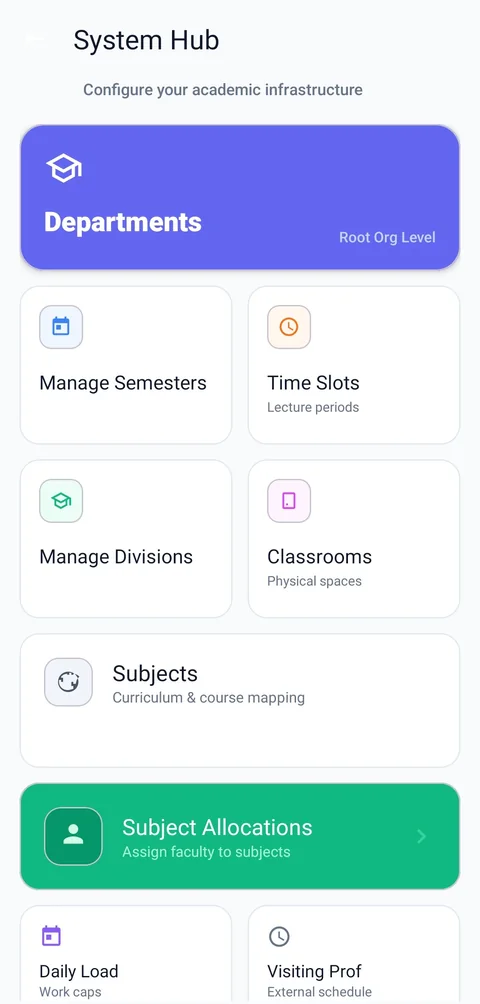
Faculty, rooms, subjects, time.
A thousand moving parts. One considered plan.
Your resources. Your rules. Your campus.
Catch clashes and double-bookings. Fix them before publish.
One timetable. Shared with everyone.
Configured windows, room types, weekly requirements, and load limits shape each placement.
Illustrative Monday · 1 room + 2 faculty conflicts resolved; not a live solver run.
See each faculty member’s daily load against their configured limit. Then look beyond the count: teaching windows, gaps, and consecutive sessions.
Illustrative Monday · counts match the resolved timetable above. The dashed marker shows an example limit of 4 sessions, not these faculty members’ actual settings. Breaks are not counted.
My Workload brings sessions, teaching time, free window slots, and warnings into one report.
Explore faculty screens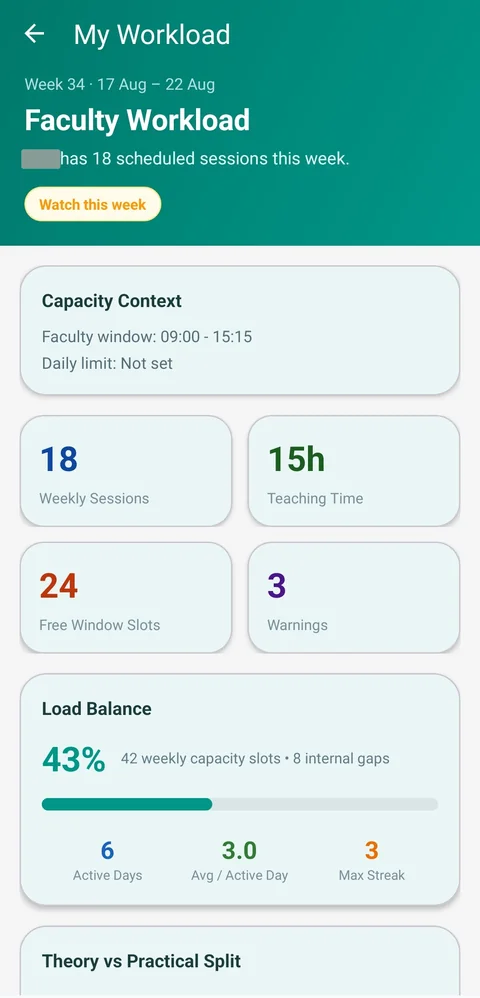
Practicals belong in labs. Theory belongs in classrooms. Follow six rooms from the resolved Monday, with no double-bookings.
PC-AI · ADM
PYP-T ↳ reassigned
OS
WDT-1 · two divisions
PRO-P · LINUX-P
REACT-PHP
Sample occupancy = booked lectures ÷ 6 available lectures per room, rounded. These are selected rooms, not campus-wide utilization or live availability.
Publish the plan. Keep each person connected to the part of the day that matters to them.
Configure resources, refine the master timetable, and publish.
Explore adminThree perspectives. One shared timetable. Try the role tabs in the app preview ↓
Workload. Room utilization. Timetable health. Real reports turn the plan into something your team can understand and share.
Report scores out of 100. Room efficiency is a health score, not the 47% occupancy measure above.
Two anonymized rows from the report · 21 sessions each
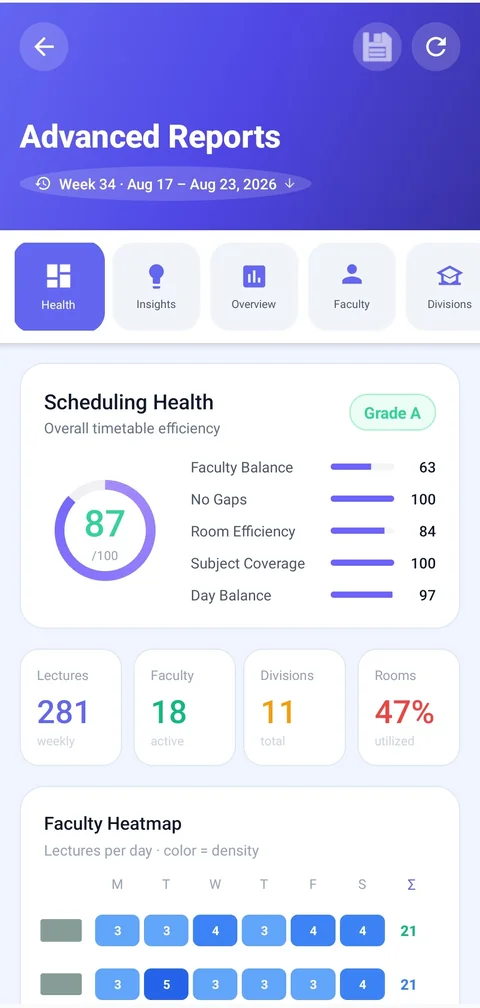
All figures in this section are transcribed from the report shown alongside. They describe a separate real report snapshot, not the illustrative Monday above.
Real screens from the app.
Take a look around your next campus companion.
Your campus control center. Configure resources, plan the week, and see how it all connects.
ANDROID APP PREVIEWS · TOA PRO INTERFACEThis screen could not load. Try another screen or check your connection.
Most departments can get started in about two days: time to enter resources and train the team. We help you bring in existing faculty and subject data; timing depends on your department's needs.
No campus servers or special hardware. Schedulix uses Firebase cloud services and runs on ordinary Android phones. Install the app, connect to the internet, and you're ready to get started.
Yes. Admins can edit the master timetable after publishing, with undo and redo. Updates keep faculty and student views connected to the current plan.
Schedulix uses Firebase Authentication and role-based access to institution data. Contact us to walk through your college's access and security requirements before onboarding.
Yes. The 14-day free pilot uses your department's resources to build a real timetable. Onboarding is included, so your team can explore it before making a commitment.
One system. One timetable.
Everyone in sync.
Let's put your own timetable in motion.
A real demo. Your department's data. Together.
A quick, automated product guide